Private GPU Setup
Connect your on-prem or cloud-hosted GPU cluster to Kamiwaza. Traffic routes over PrivateLink or VPC peering — no public internet path for sensitive workloads.
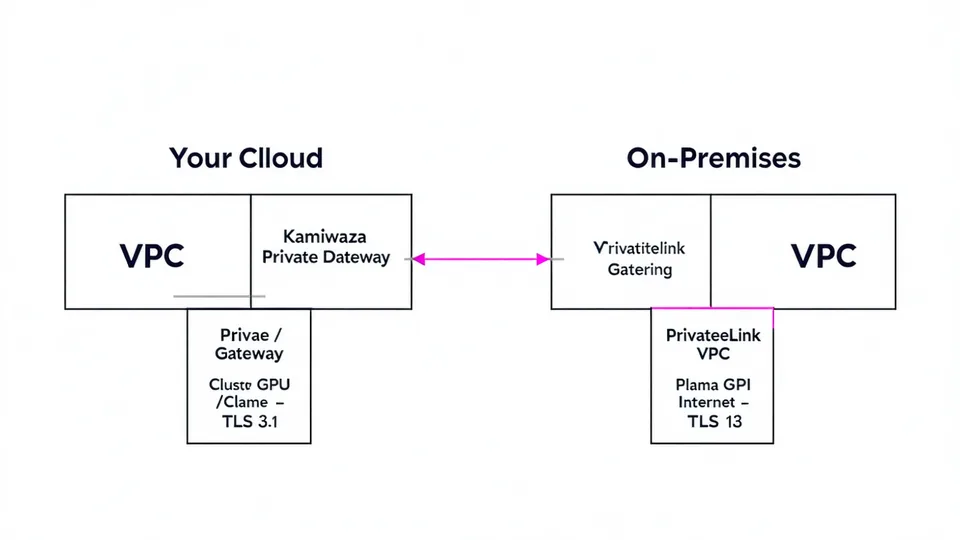
Prerequisites
- A GPU server (A100, H100, or equivalent) running vLLM 0.4+ or Ollama 0.1.30+
- Network connectivity between your GPU cluster and Kamiwaza's gateway IPs (via PrivateLink, VPC peering, or a site-to-site VPN)
- A Kamiwaza API key with
endpoints:writepermission
Step 1 — Start vLLM
Start vLLM on your GPU server with the model you want to serve. Kamiwaza expects an OpenAI-compatible /v1/chat/completions endpoint:
python -m vllm.entrypoints.openai.api_server \
  --model meta-llama/Llama-3.1-70B-Instruct \
  --host 0.0.0.0 \
  --port 8000 \
  --tensor-parallel-size 4
Verify vLLM is responsive:
curl http://localhost:8000/v1/models
# {"data":[{"id":"meta-llama/Llama-3.1-70B-Instruct","object":"model",...}]}
Step 2a — AWS PrivateLink (recommended)
PrivateLink keeps all traffic on the AWS backbone. No public internet path exists between Kamiwaza and your GPU cluster.
- Create a Network Load Balancer in your VPC pointing to the GPU instance on port 8000.
-
Create a VPC Endpoint Service backed by the NLB. Note the service name (e.g.,
com.amazonaws.vpce.us-east-1.vpce-svc-XXXX). - Share the service name with Kamiwaza. Email [email protected] with your service name and AWS account ID. Kamiwaza will create a VPC endpoint in its gateway VPC.
- Accept the connection request in your AWS Console under VPC > Endpoint Services > Connections.
Once accepted, Kamiwaza will provide a private DNS hostname (e.g., vpce-xxxx.us-east-1.vpce.amazonaws.com) that resolves only within the peered VPCs.
Step 2b — VPC peering (alternative)
VPC peering is simpler to set up but requires non-overlapping CIDR ranges between your VPC and Kamiwaza's.
kmw network peer \
  --cloud aws \
  --vpc-id vpc-XXXXXXXXXXXX \
  --region us-east-1
This command creates a peering request from Kamiwaza's gateway VPC to yours. Accept it in your AWS Console and add a route table entry pointing Kamiwaza's CIDR (10.96.0.0/16) to the peering connection.
Step 3 — Register the endpoint
Once the network path is established, register the private endpoint in Kamiwaza:
kmw endpoints add \
  --id private-gpu \
  --type vllm \
  --url https://vpce-xxxx.us-east-1.vpce.amazonaws.com:8000/v1 \
  --transport privatelink \
  --models llama-3.1-70b-instruct
Or via YAML in your policy file:
endpoints:
  - id: private-gpu
    type: vllm
    url: https://vpce-xxxx.us-east-1.vpce.amazonaws.com:8000/v1
    transport: privatelink
    models: [llama-3.1-70b-instruct]
    health_check_interval_ms: 10000
Health checks
Kamiwaza polls the registered endpoint's /health path at the configured interval. If three consecutive health checks fail, the endpoint is marked unhealthy and traffic is routed to the next matching rule.
kmw endpoints status private-gpu
# ID            STATUS      P50_MS    P95_MS    LAST_CHECKED
# private-gpu   healthy     198       412       2025-05-28T14:30:00Z
Configure an alert to fire when an endpoint goes unhealthy:
kmw webhooks add \
  --event endpoint-unhealthy \
  --endpoint private-gpu \
  --url https://hooks.pagerduty.com/services/XXXX